Send us a Message


Submit Data |  Help |  Video Tutorials |  News |  Publications |  Download |  REST API |  Citing RGD |  Contact   
Pathways

Ontology Search Help Page

An ontology is a controlled vocabulary of well-defined terms with specified relationships between them capable of interpretation by both humans and computers. This systematized knowledge empowers analysis and facilitates data sharing between experiments and data sources thus encouraging cooperative usage of data produced in this new information age.

To learn more about what biomedical ontologies are and how they are used, view RGD’s Introduction to Biomedical Ontologies Video series.

You can also explore a number of ontologies and learn more about their use in the biomedical sciences at the National Center for Biomedical Ontologies.

Jump to information about the:

  • Help Home
  • RGD Rat Community Videos
  • RGD Data Help Topics
  • RGD Tools Help Topics
  • RGD Search Features
  •  

    RGD Ontologies

    RGD uses ontologies to standardize curated data and provide that data to  users in an organized manner. Over time the ontologies used at RGD have grown in number to provide more comprehensive data. The first implemented ontology at RGD was the Gene Ontology. It uses  controlled vocabularies in three aspects – biological process, cellular component and molecular function, to describe genes and gene products. To increase the granularity of disease vocabularies so more specific information can be curated RGD utilizes a hybrid of Disease Ontology and RGD Disease Ontology terms. RGD has created  the Pathway Ontology for gene and disease curation, and four ontologies: Clinical Measurement Ontology, Measurement Method Ontology, Experimental Condition Ontology, and Rat Strain Ontology, to curate and display quantitative phenotype data in a standardized manner. Small (not directly encoded by the genome) chemical compounds are included through the addition of the Chemical Entities of Biological Interest Ontology (ChEBI) ontology developed by the European Bioinformatics Institute and Mammalian and Human Phenotype Ontologies are also included. In collaboration with Mouse Genome Informatics at the Jackson Laboratory and the Animal QTL database at Iowa State, RGD has also created the Vertebrate Trait Ontology which includes measurable or observable characteristics in relation to morphology, physiology, or development of vertebrate organisms.


    Ontology Search
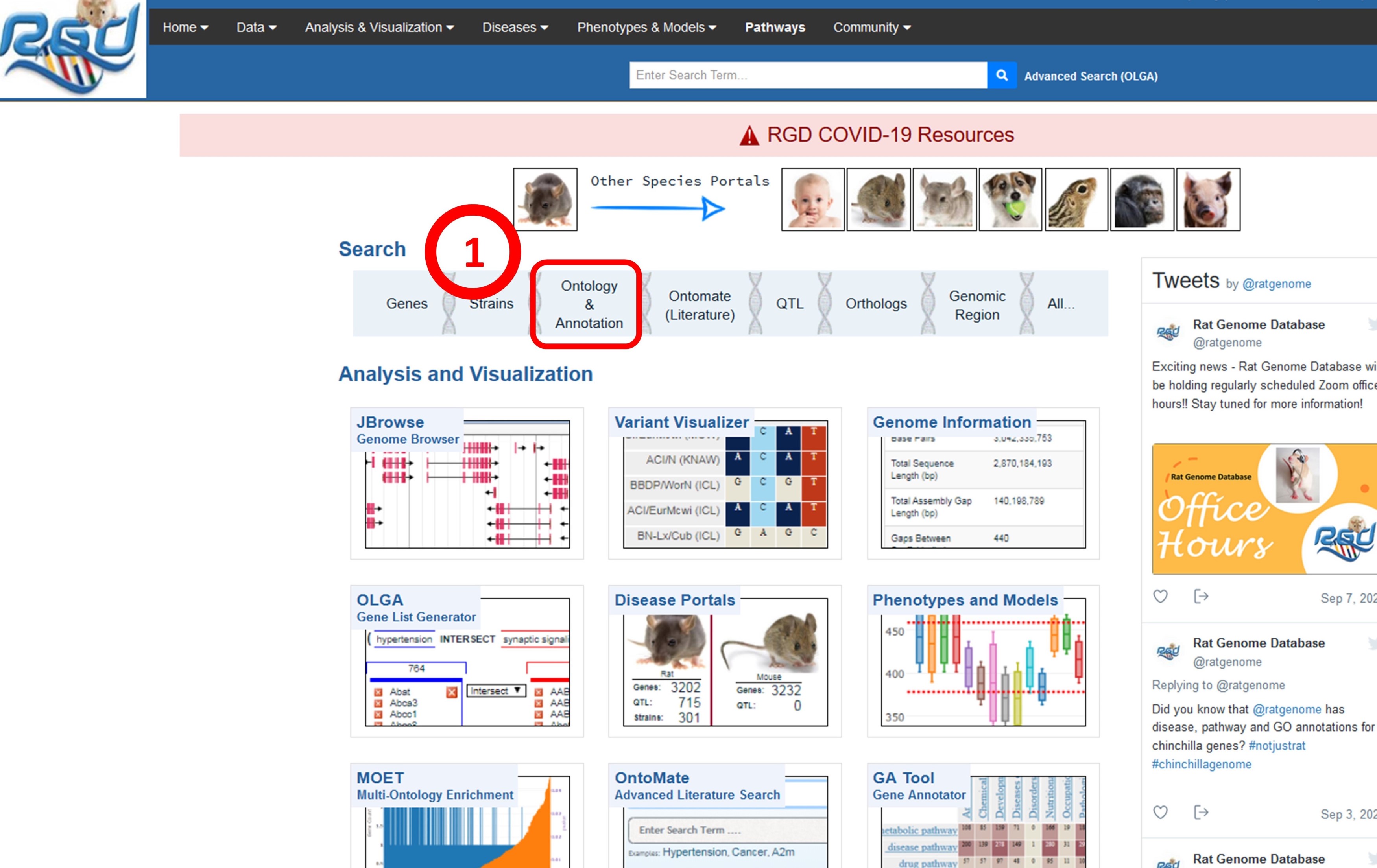
    1. The Ontology and Annotation landing page can be directly accessed from the RGD home page.


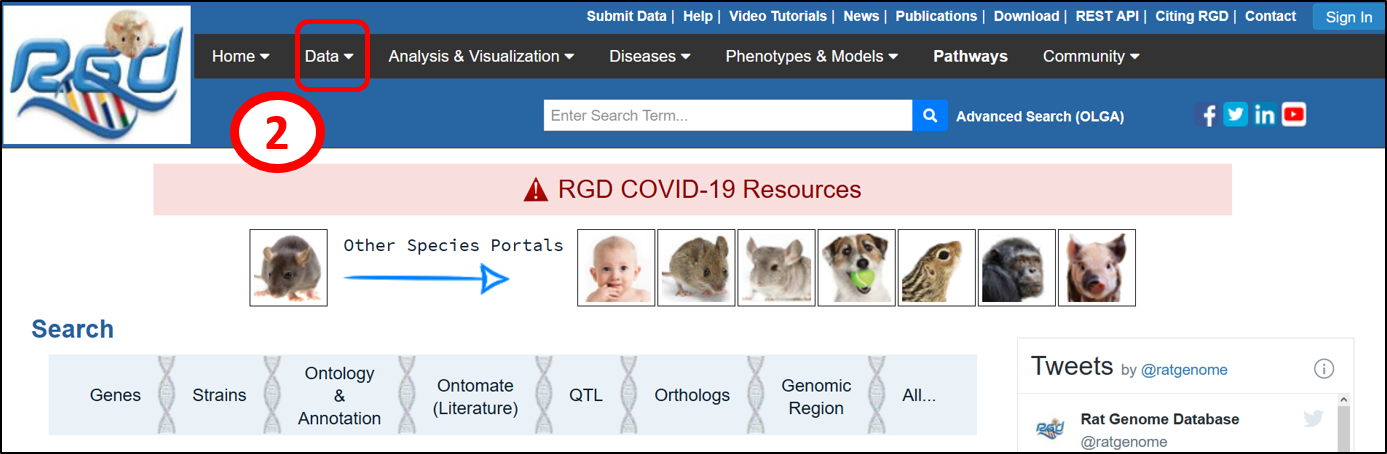
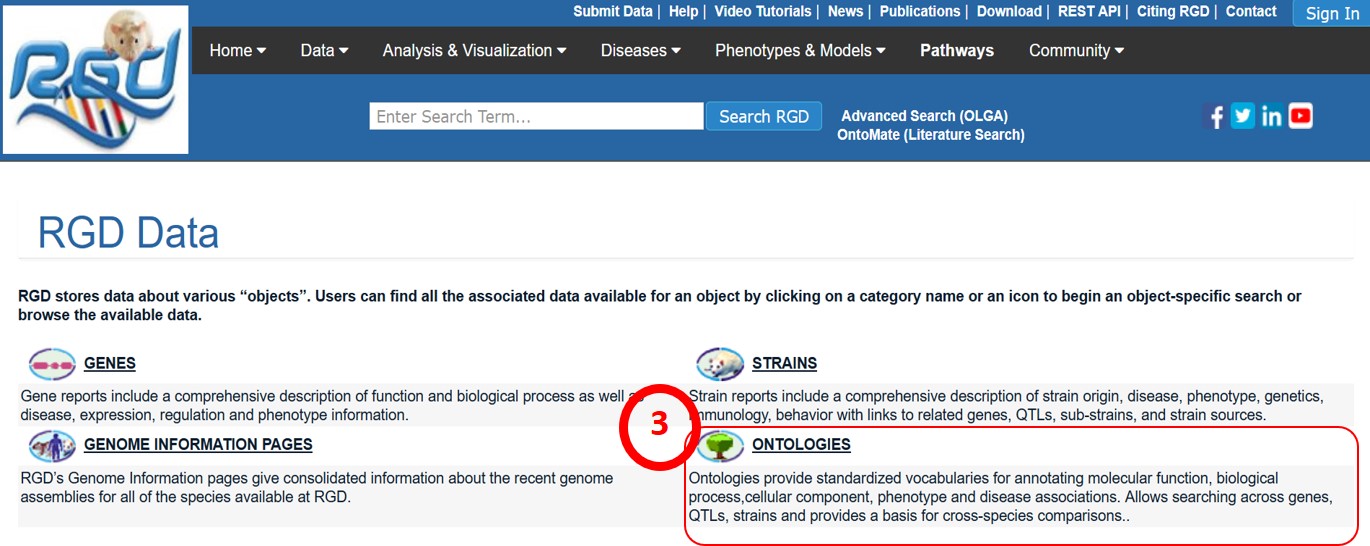
    2. The Ontology and Annotation search page can also be reached via the RGD Data landing page, which can be accessed from any page in the site by mousing over ‘Dat’ in the top black banner and clicking ‘Ontologies’ in the pull-down menu, or clicking ‘Data’ to go to the ‘RGD Data’ page.


    3. Select ‘Ontologies’ from the options presented on the page.


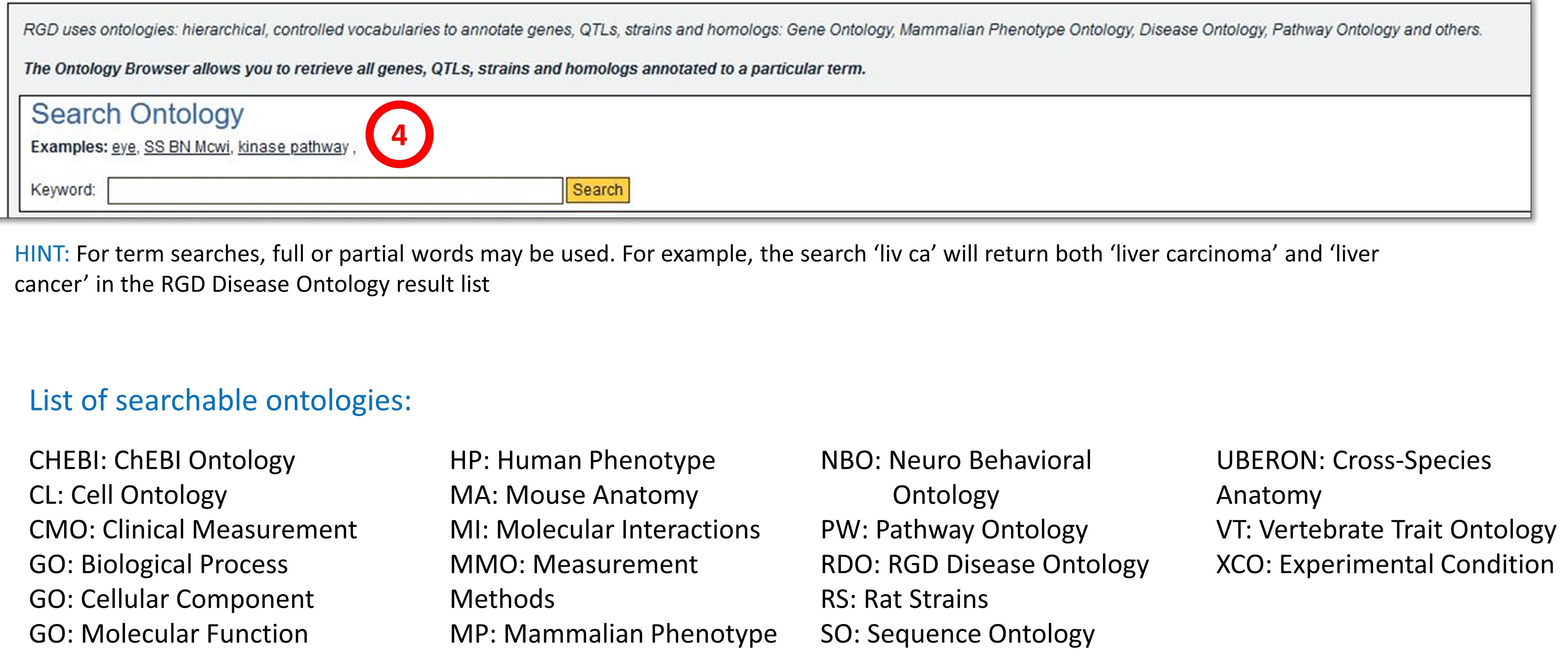
    4. The search keyword can be a single word, or portions of phrases. This tool searches all available ontologies for terms, synonyms, or accession numbers (database IDs).


    Ontology Search Results

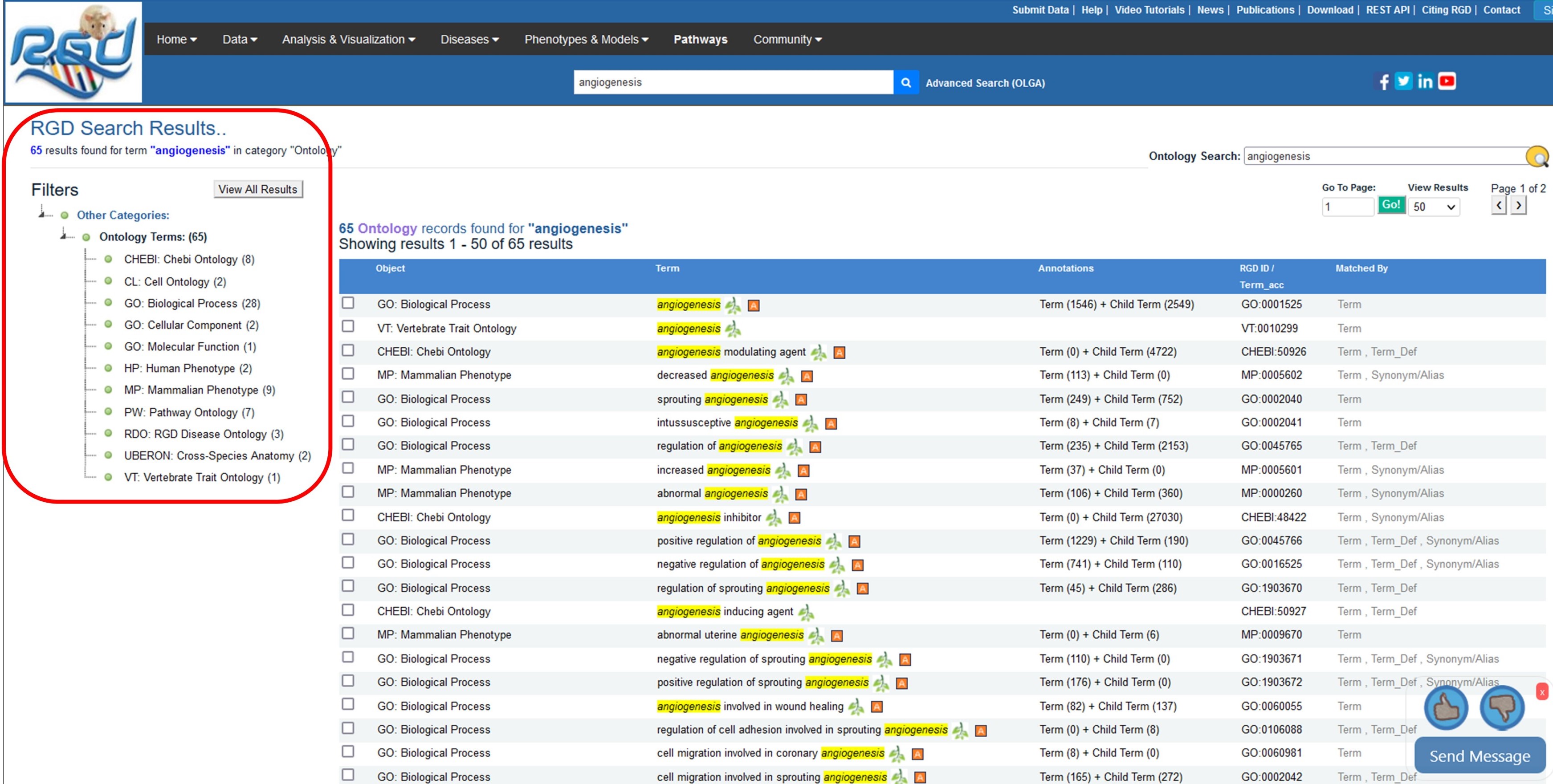
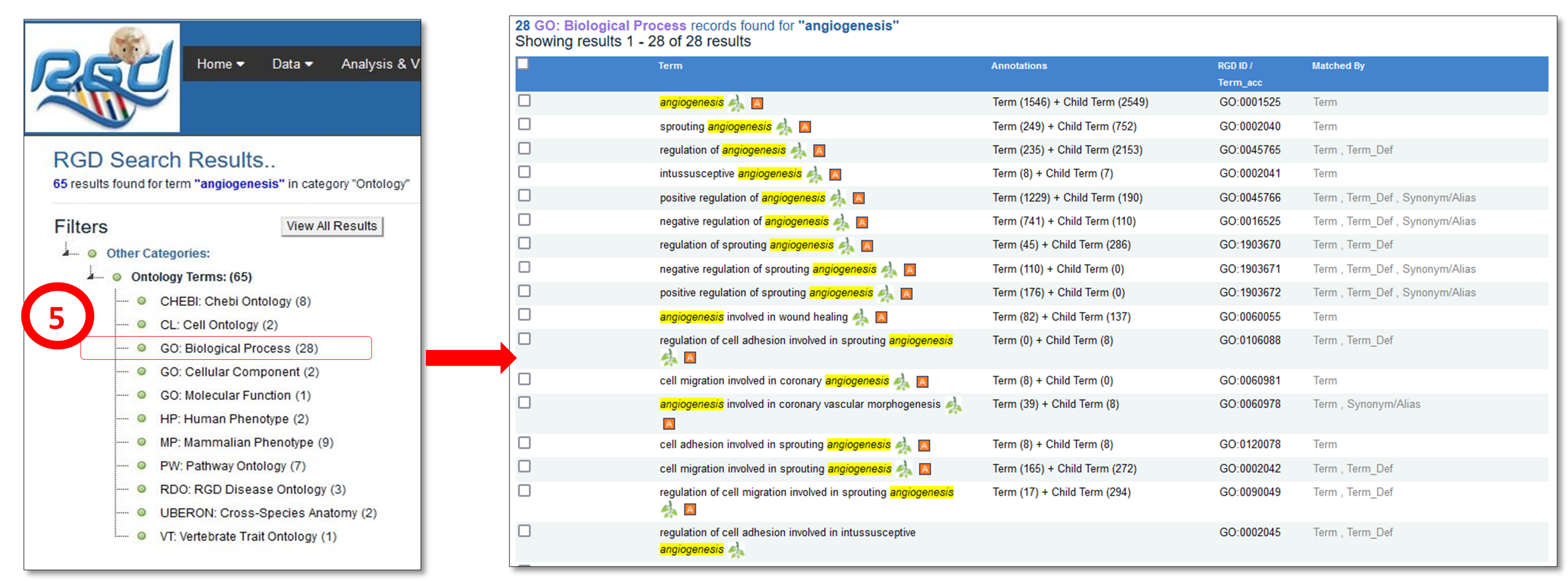
    Using angiogenesis as an example, the ontology search returns a list of ontologies in which “angiogenesis” appears, along with a matching count of terms found in each ontology on the left-hand side of the window.


    5. To see specific ontology results, click on the ontology name in the list on the left-hand side of your window. For example, GO: Biological Process, will bring up  a term results table listing all terms associated with  angiogenesis under GO: Biological Process. The accession number  and annotation count for each term and its children are listed next to the term in the table.  The results table provides links to both the ontology browser (green branch icon) and the ontology report page.


    This branch icon brings users to the ontology browser page which displays parent, sibling, or child terms, synonyms, and the graphical structure of the term relationships.Clicking on annotation terms in the browser will bring up the ontology report page to view all objects associated with the term.


    The Annotation icon will bring users to the ontology annotations report page to view all objects associated with the term.


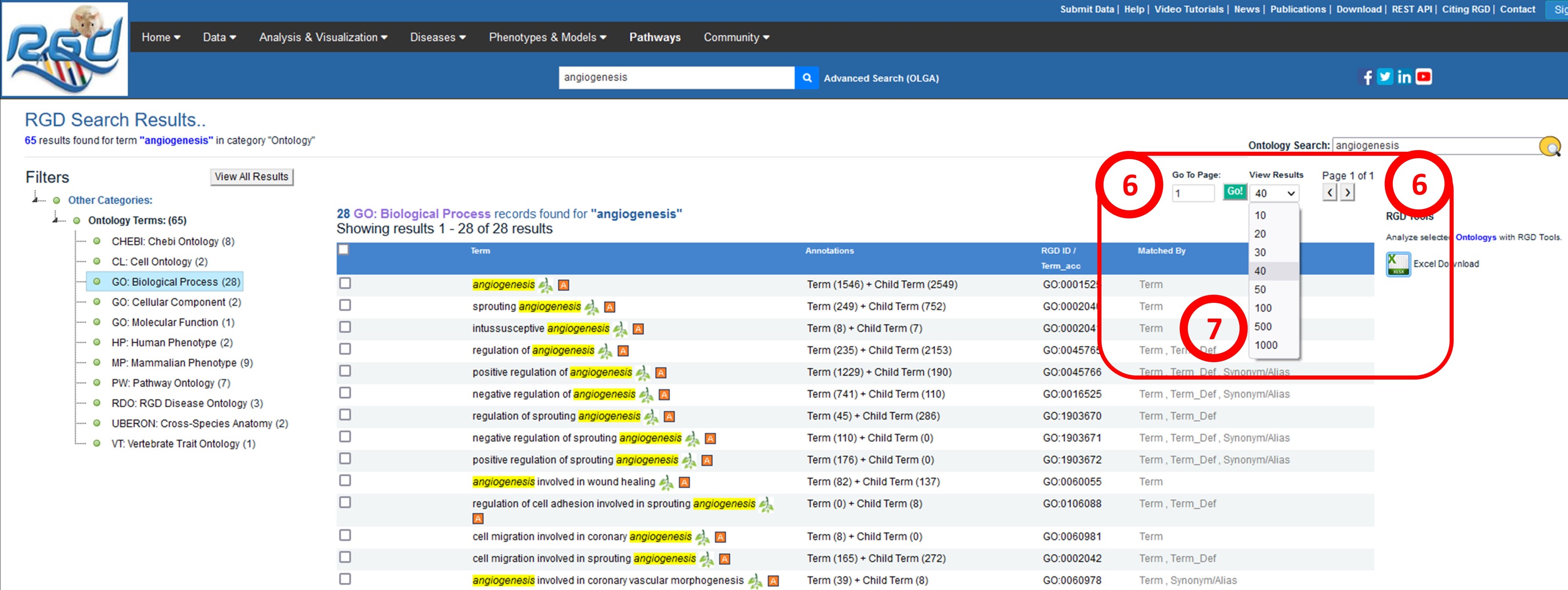
    6. To see results on another page, type the page number in the box under “Go to Page” and click on the ‘Go” button or select the arrow icons under “Page ‘#’ of ‘#’”.

    7. To modify the number of results per page, select a value from the “View Results” drop down menu.


    8. To return to results for all Ontologies, click on the “View All Results” button on the left-hand side of the window.

    [return to top]


    NHLBI Logo

    NHLBI Logo

    RGD is funded by grant HL64541 from the National Heart, Lung, and Blood Institute on behalf of the NIH.