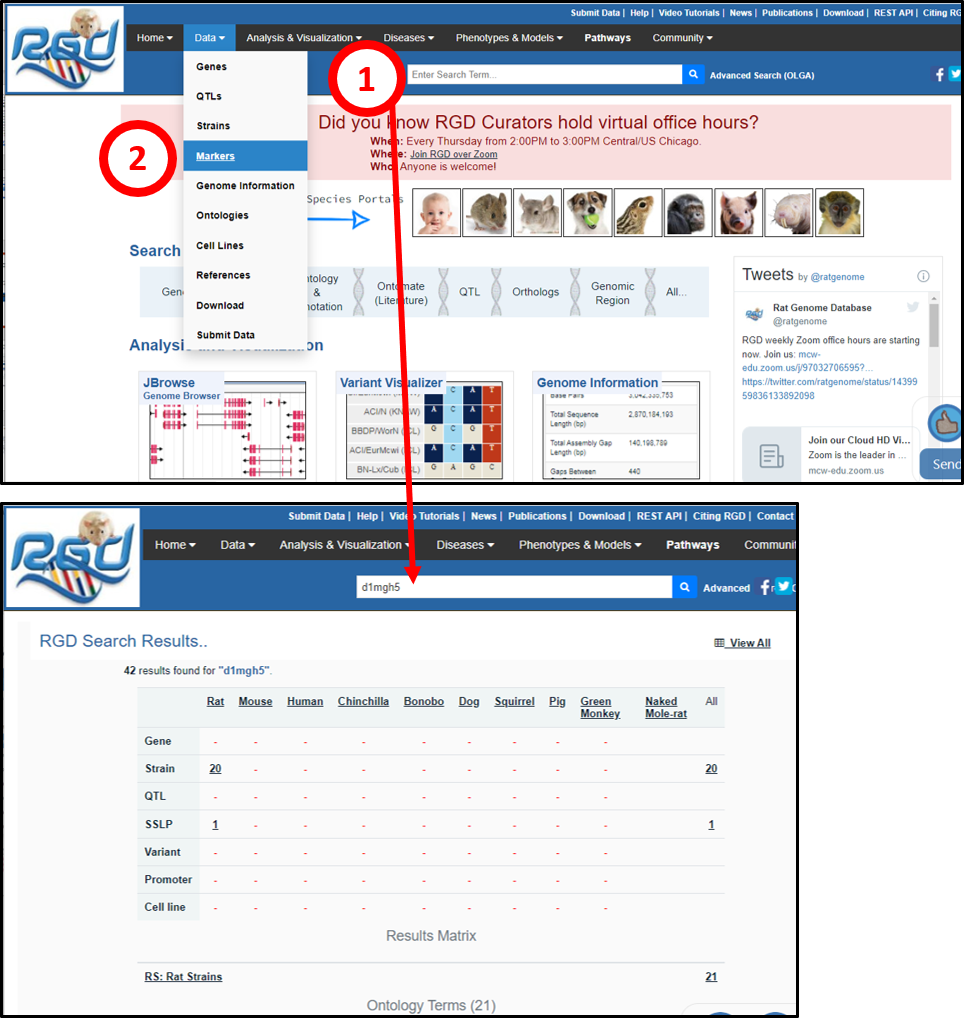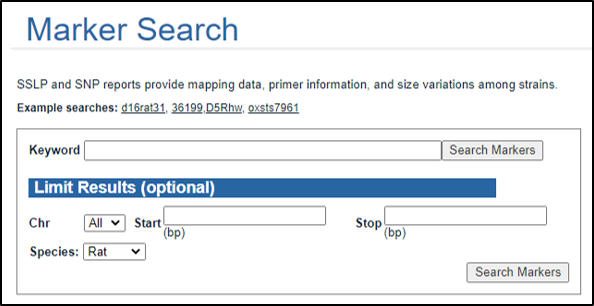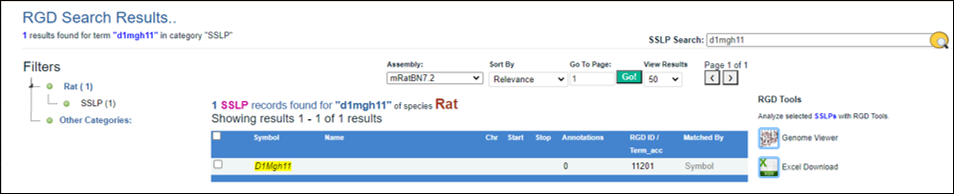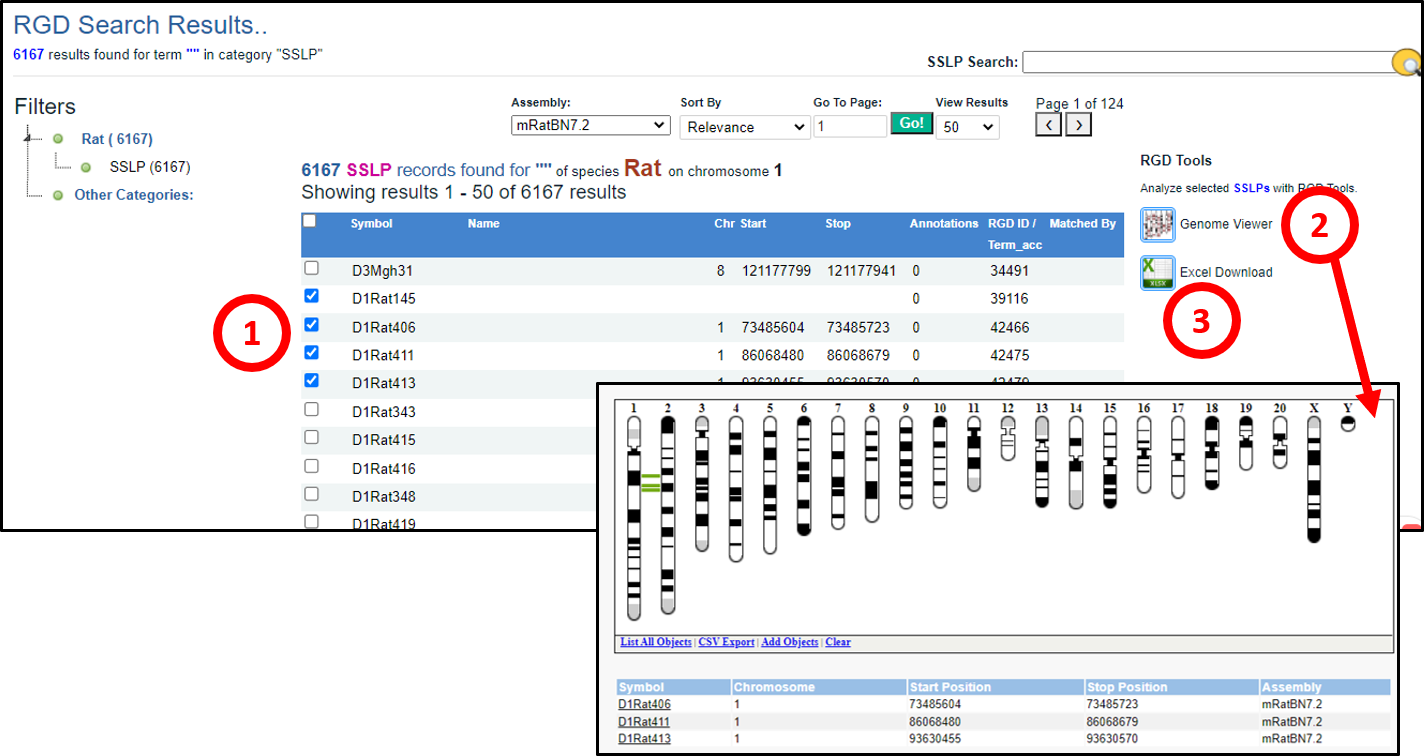


This page gives information about how to find your marker of interest in RGD. Click the links below for information about specific search tools:
Finding Marker/SSLP information Using the General/Keyword Search
Using the Marker Search Tool
 |
|
| You must be logged in to use this feature |
| {{ loginError }} |
|
|
Analyze GeneStrainQTL List |
 Gene Annotator (Functional Annotation) unavailable |
 Gene Annotator (Annotation Distribution) unavailable |
 Variant Visualizer (Genomic Variants) unavailble Variant Visualizer (Genomic Variants) unavailable |
Gene Annotator (Functional Annotation) |
Gene Annotator (Annotation Distribution) |
Variant Visualizer (Genomic Variants) |
 InterViewer (Protein-Protein Interactions) unavailable |
 Gviewer (Genome Viewer) unavailable |
 Variant Visualizer (Damaging Variants) unavailble Variant Visualizer (Damaging Variants) unavailable |
InterViewer (Protein-Protein Interactions) |
GViewer (Genome Viewer) |
Variant Visualizer (Damaging Variants) |
 Gene Annotator (Annotation Comparison) unavailable |
 OLGA (Gene List Generator) unavailable |
 |
Gene Annotator (Annotation Comparison) |
OLGA (Gene List Generator) |
Excel (Download) |
 MOET (Multi-Ontology Enrichement) unavailable |
 GOLF (Gene-Ortholog Location Finder) unavailable |
|
MOET (Multi-Ontology Enrichement) |
GOLF (Gene-Ortholog Location Finder) |
|
||||||||||
Marker Search HelpThis page gives information about how to find your marker of interest in RGD. Click the links below for information about specific search tools: Finding Marker/SSLP information Using the General/Keyword Search
| ||||||||||||